
When a parent has to check three different places to find a schedule and then buy a ticket, you aren't only losing time. You're losing fans. Most coaches and staff juggle disconnected tools for ticketing, websites, and communication, and the community feels every seam.
The short answer: with Engage, your athletic department website and your school-branded mobile app run off the same content, and any events or teams you build in your Box Office import into both on their own. A coach changes a game time once, and the site and the app both reflect the changes.
The hidden cost of a fragmented athletic department website
Operating in silos does more than frustrate parents. It creates an administrative burden that drains resources from the field. When your website does not talk to your ticketing tool, your staff updates scores, news, and event changes by hand across separate dashboards.
That friction mirrors the problem with fragmented calendars and booking systems, where the cost is rarely the tool and almost always the time spent reconciling what two systems each believe is true.
Lost attention at every extra step
When the path from a schedule to a ticket runs through three sites, some people stop at the second one. That is not something we can put a number on, but every athletic director has watched it happen the week of a game. Keeping the schedule, the roster, and the ticket link on one page removes the step where families drop off or just wait to buy their tickets at the gate.
The administrative burden of manual entry
Every hour spent re-entering rosters or schedules is an hour not spent supporting student-athletes. At GlenOak High School, moving the athletic website to Engage gave the office back roughly two hours a week. A district website solution should work for you, not the other way around.
Building one hub that stays in sync
A central hub keeps your athletic mobile app and your website aligned without technical headaches. Hometown Engage is built as a no-code tool, so any coach or staff member can make updates in real time without waiting on anyone technical.
- Roster and schedule changes that publish to your website and automatically sync to your app
- News and highlights posted once and visible in both
- Events built in Box Office importing into the site and the app on their own
- School-branded content sections, so it reflects your school or programs logo and colors rather than a vendor's
No-code management
Maintaining a professional site shouldn't require a computer science degree. With no code to touch, you can change a game time on the fly and see it on the website and the fan app. That keeps parents on accurate information during a busy season, and it is the same reason a dedicated parent communication app matters: an update is only useful if it reaches people where they already are.
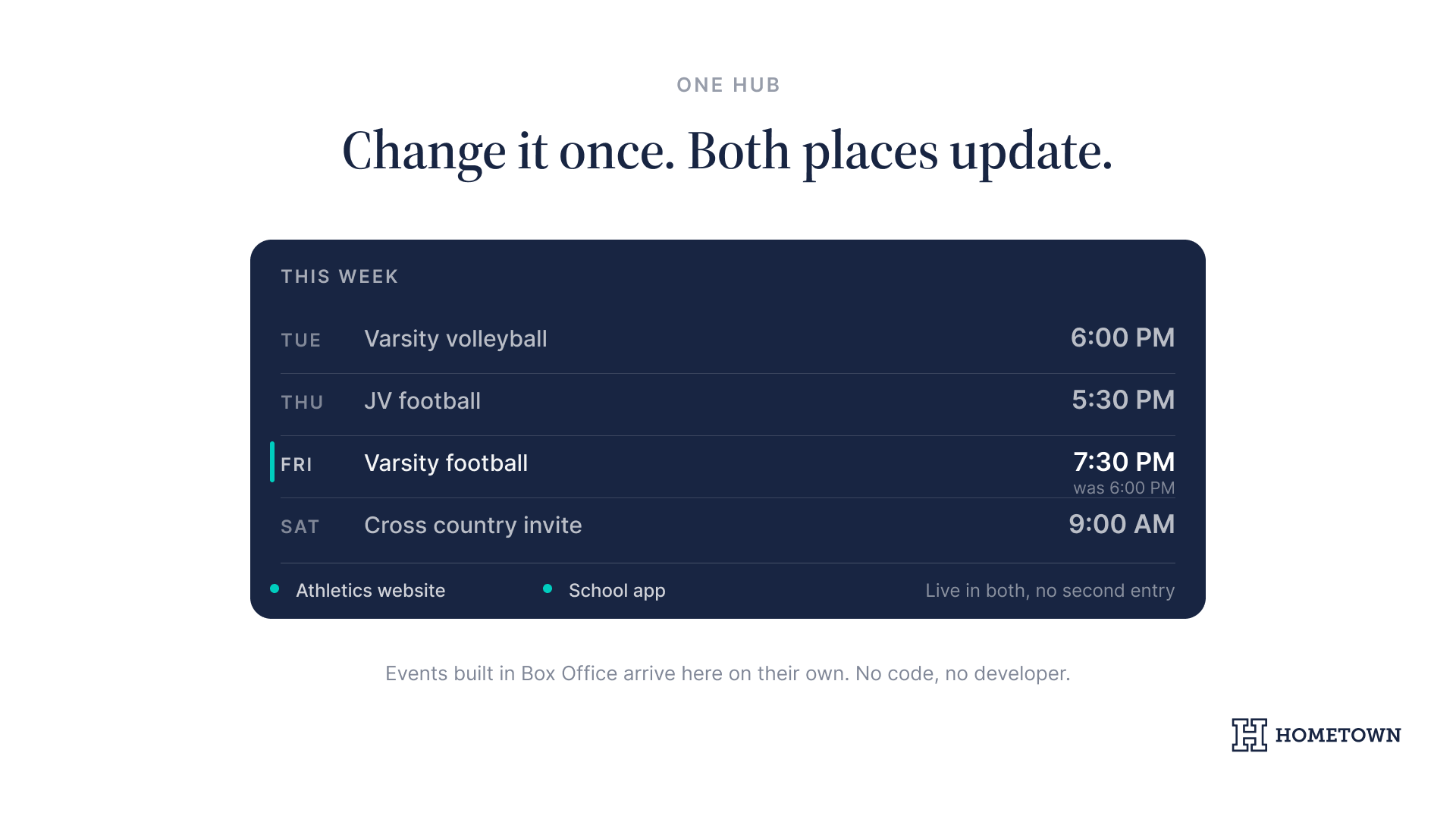
Real-time sync
When your Box Office events feed the site directly, the double entry disappears. Setting up school-branded athletic websites is where most programs start. Understanding how families move from first interest to actually showing up, in the way an identity-driven enrollment funnel maps it, is what tells you which few things belong above the fold.
What families actually get out of it
Parents do not care what your technology stack looks like, they just care that it’s convenient and memorable. With one hub, you’re able to deliver the following:
- Tickets and passes in one app, so entry at the gate moves faster
- Schedules, rosters, and scores that are current.
- One web address to check, instead of a social page, a schedule site, or a group text from last season
Connecting the dots: ticketing on your own site
When ticketing sits on the same page as the schedule, your athletic department website starts doing work on game night. Fans see digital and advance ticket purchase options before they arrive, which shortens the line your staff has to manage at the gate.
What to do next: your digital readiness audit
- List every place your parents look for schedules, tickets, and news.
- Count how many times your staff enters the same data into a second system.
- Check whether your athletic mobile app shows scores and rosters that are actually current.
- Ask whether your fine arts website solution looks as finished as your athletics pages.
- Compare notes with a program that has already made the move.
Discover how other athletic departments have streamlined their operations and boosted fan engagement with Engage by reading our success stories.
Ready to see how it fits your program? Book an Engage demo with our team.