Picture this: it is Friday night, the game is delayed by weather, and your office phone is ringing off the hook because the website hasn’t been updated in three weeks. We know that for a busy athletic director, a website isn’t about aesthetics. It is about saving time and keeping the community informed without needing a degree in computer science. Your school’s digital presence should be your hardest-working staff member, not your biggest headache. The best school website builder is a working tool rather than a digital brochure, and the ten items below are what to hold one against. Engage, our athletic website and app solution, is ours, and we built it against the same list.
Choosing the right school website builder for your community
1. Mobile-responsive design for the bleacher fan
Design for the phone first, because that is where the traffic is. If a parent in the bleachers cannot read a schedule or buy a ticket without pinching and scrolling, the site has failed at the one moment it mattered. Everything else on this list assumes that part already works.
2. Fast loading for game-day updates
A rivalry game is a traffic spike, and a site that stalls during one sends everybody to your front office phone instead. Preparing for fall digital tickets covers what that night looks like from the fan's side. Ask any provider what happens to their site when a thousand people open it in the same ten minutes.
Where the real time savings are
3. Real-time schedule syncing
A school communications platform earns its keep when your staff stops typing the same thing twice. Be specific about what that means, because vendors usually are not: with Engage, events you set up in Box Office, our ticketing and event management solution, sync automatically into the Engage website and app, so a game is entered once and appears in both. A district website solution that behaves the same way at every campus is what stops a district getting a different answer from each school.
4. Knowing what connects, and what does not
Ask this one plainly, because the honest answer is shorter than the pitch. Events flow from Box Office into your Engage site and app. Ticketing and fundraising do not merge into each other: each keeps its own reporting and its own payout, which is what your auditor expects anyway. What working with one partner rather than three gets you is one contract, one support team, and one number to call. If you are seeing signs your athletic department is leaving money on the table, it is usually the cash-only gate rather than the software.
What to ask before you compare
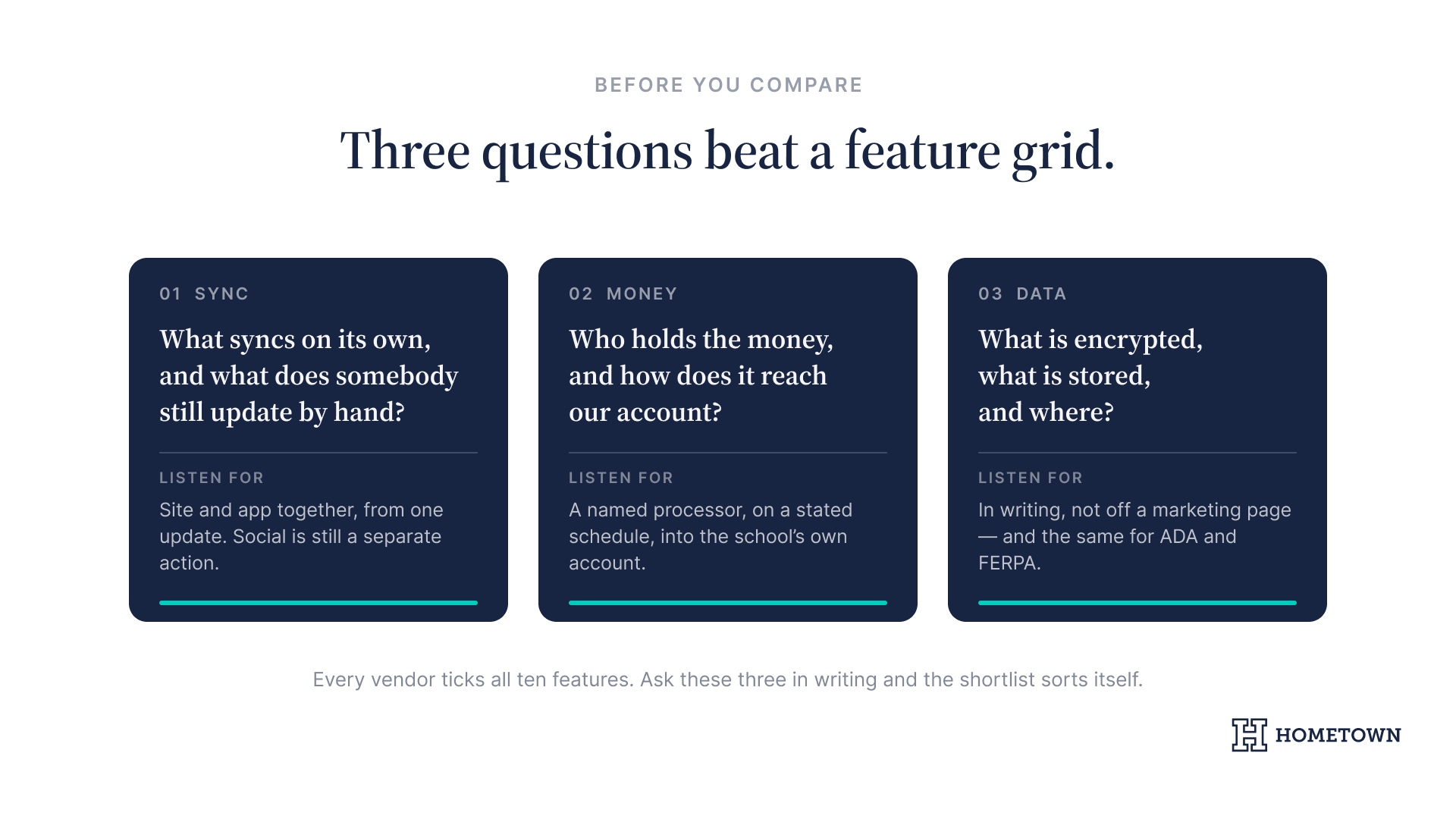
A feature grid is only as good as the answers behind it, and the answers are where providers differ. Ask each one, in writing: which systems does this sync with on its own, and which ones does somebody still update by hand? Who holds the money, and how does it reach our account? What is encrypted, what is stored, and where? Those three questions sort a shortlist faster than any checklist of features.
No-code management for busy coaches
5. Eliminating the IT bottleneck
Coaches and athletic directors do not have time to wait on a web developer to post a highlight reel. Engage is designed to be no code, so a coach updates a roster or a game recap the same evening the game ended. Dedicated team website software puts that in the hands of the person who was actually there, instead of routing it through district IT and losing three days.
6. Staff-friendly highlight publishing
The test for any tool is whether your staff still uses it in November. If posting a highlight takes four steps and a password nobody remembers, the site goes stale by the second week of the season. The branded athletic website checklist walks through the setup other athletic directors have already worked out, which is cheaper than working it out yourself.
Security, and the questions to ask about it
7. Data handling you can put in front of a reviewer
Here is what Hometown publishes, stated the way it is published: all data transmitted between you and our servers is encrypted, no sensitive or credit card data is stored on our servers, payments run through a PCI-certified merchant, and we never sell your personal data, ever.
A district review will also ask about accessibility and student-record rules. Those answers should come from each provider in writing rather than off a marketing page, so put ADA and FERPA on the list of questions you send every vendor, this one included.
8. A record the business office can follow
Your finance office wants to trace a dollar from the ticket to the deposit without rebuilding a spreadsheet to do it. Real-time reporting covers every ticket sold, online or at the gate, which is what turns year-end into an export instead of a project. Digital season pass software does the same for a season sold up front. If your school is also running an enrollment marketing plan, the same rule applies to that budget: what you cannot trace, you cannot defend.
9. One update, not four
A weather delay is the moment the whole thing gets tested. Post the change once and it is live on your Engage site and in your app together, which is two of the four places you used to update by hand. Sharing it to Facebook or X is a separate action, taken when you want it. Ask any provider exactly which channels it reaches on its own and which ones still need you.
10. Your colors, not a vendor's template
A family should be able to tell whose site they are on without reading the name at the top. Your colors, your mascot, your program, rather than a template with somebody else's logo in the corner.
Other athletic departments have already worked through this list, and the success stories are worth reading before you start yours.
Book a demo to see how Engage handles the ten.